GridMap Autotiler for Godot 4
A downloadable tool
GridMap Autotiler - autotiling and hexagon grids for Godot 4's GridMap
An editor add-on for Godot's own GridMap node. Paint with one item per terrain, and the add-on puts the right piece in each cell (end, corner, T junction, edge, inner corner), turned the right way. It works on your existing GridMaps and MeshLibraries. The result is ordinary GridMap cells, so your game doesn't need the add-on to show them. Tested on Godot 4.3, 4.4.1, 4.5.2, 4.6.3 and 4.7.2.
What it does
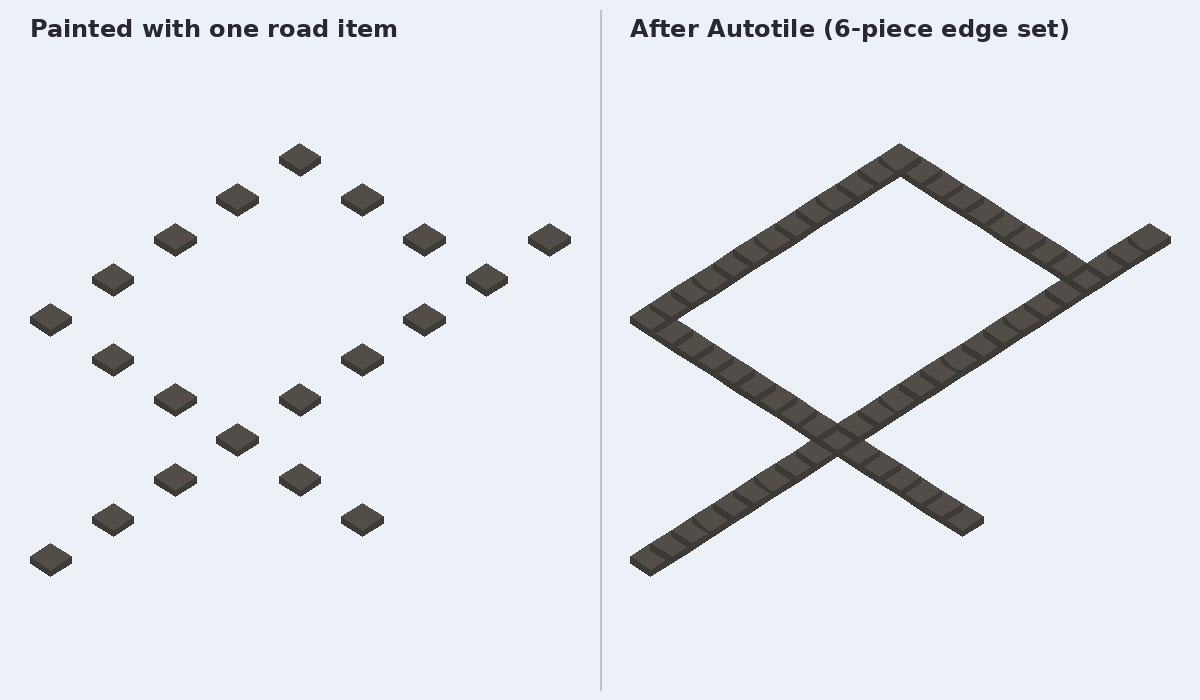
- Roads, pipes, fences, walls (4 neighbours): 6 pieces cover all 16 cases by rotation.
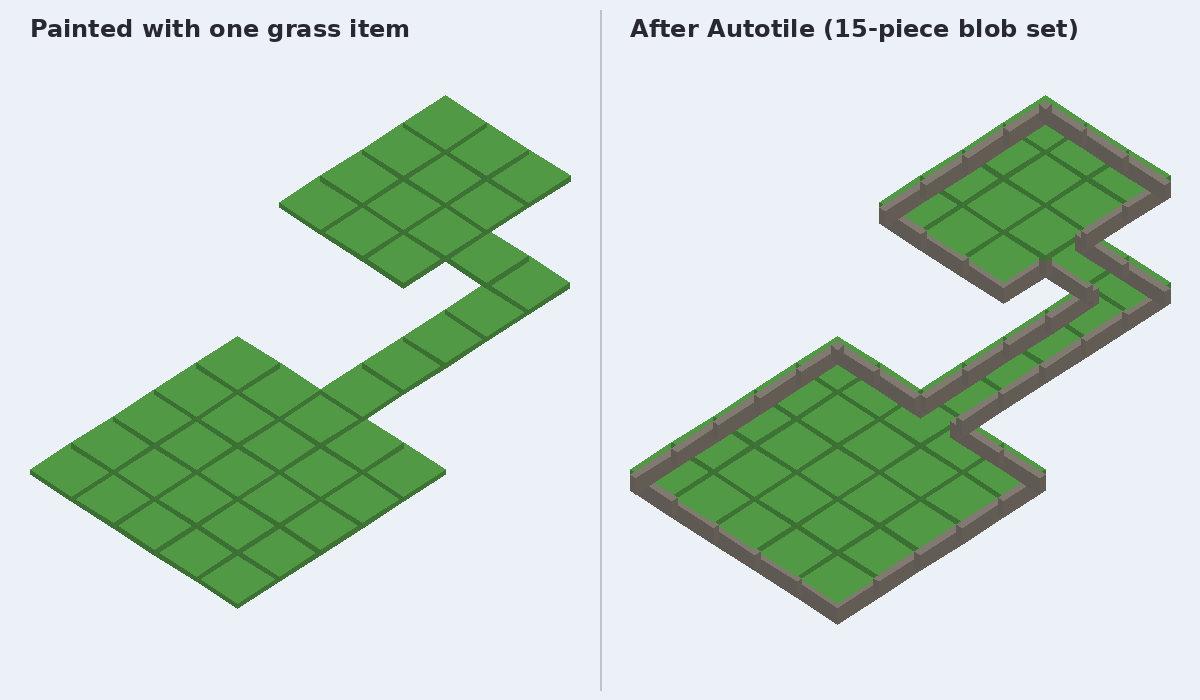
- Floors, rooms, cliffs, water (8 neighbours): 15 pieces cover all 47 cases by rotation (the "blob" set).
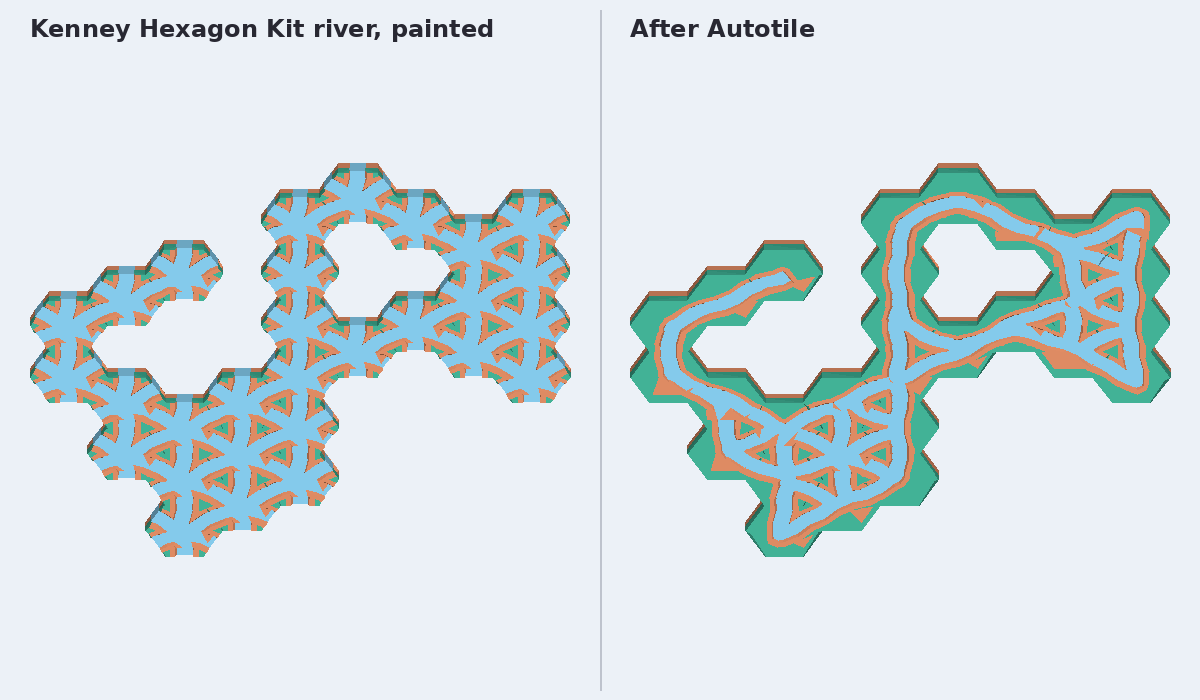
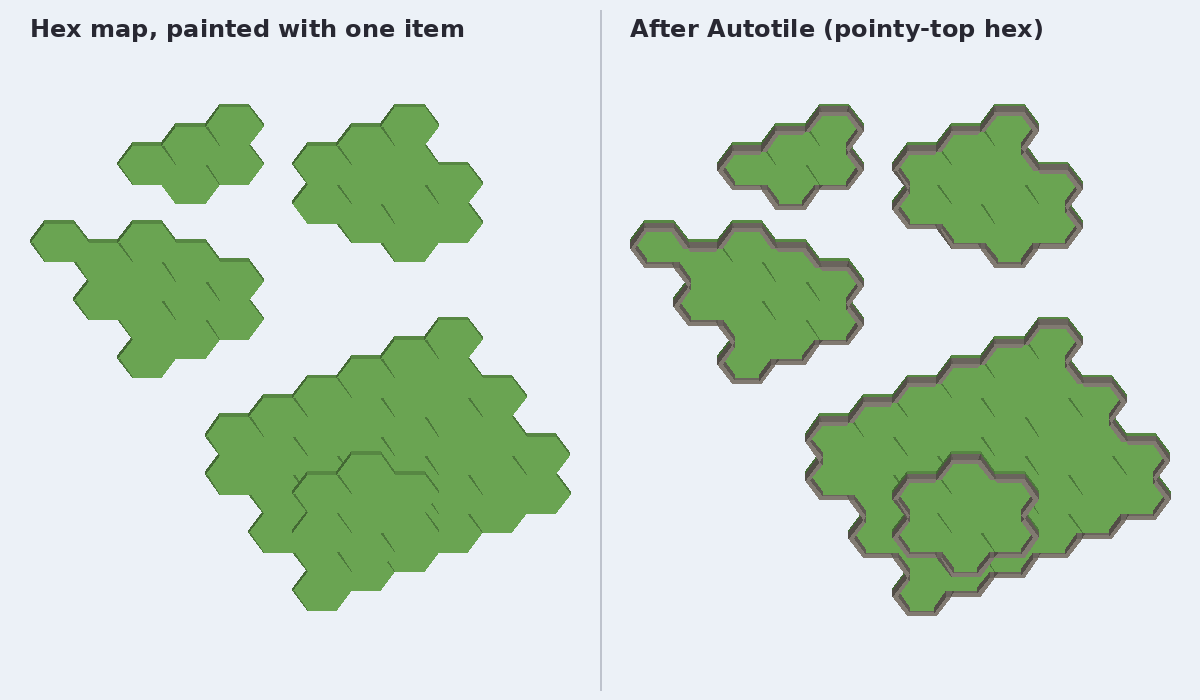
- Hexagon grids, pointy-top or flat-top: 14 pieces cover all 64 cases. The add-on adds the 60-degree rotated copies GridMap can't make itself, with collision shapes and navigation meshes rotated too.
- Stacking: an optional ".under" piece when the same terrain is above.
- Random variants: the pick per cell is fixed, so rebuilding gives the same map.
- With just 4 pieces (fill, side, outer corner, inner corner) on the 8-neighbour set, rectangles and L-shaped areas at least two cells wide come out exact; other cells get the nearest piece you have.
Naming
Rules come from item names, as terrain, a colon, then the piece:
grass:side
Items without a colon (props) are left alone.
In the editor
Select a GridMap and an Autotile toolbar appears:
- Auto: re-tiles around each new edit to the map, such as painting or erasing with Godot's GridMap tools, as a separate undo step.
- Rebuild: re-tiles a whole map.
- Brush: paints or erases a terrain, one undo step per changed stroke. Empty erase and unchanged repaint add no undo entry.
For Brush, middle-click the 3D view without dragging to focus it, then clear the stock tool selection with Esc. On Godot 4.4 and newer, choose GridMap Transform before turning Brush on; if Transform is already selected, leave it selected. On 4.3, clear the palette selection with Esc. Turn Brush off before using Godot's own tools again. The README gives the version-specific setup.
Scripts can call it too, for example after generating a level.
Limits
- Setup is manual: name the MeshLibrary resource items (not scene nodes), align each piece with the README's diagrams, and set Cell Size to your kit's spacing. The README's Kenney rotation tables apply only to the exact filenames listed; variants may face a different direction. There is no automatic kit alignment.
- One item per cell (a GridMap rule): floors and walls in the same place need two GridMaps.
- No mirrored pieces (GridMap has none), and no slope or ramp rules: each floor level is tiled on its own.
- Hex maps: "Prepare hex library" adds 5 rotated items per piece and can't be undone. Paint hexes with the Brush. Grid setup changes settings directly without an undo action. Switching back to square rules keeps Cell Size; reset it for your square kit. Existing cells are not converted to a different kit.
- Hex maps in Auto mode: a tile Godot's own tool puts between two hexes is moved to the hex on its left.
Tested on Linux only
Headless tests ran on the five Godot versions listed above. Independent AI audience reviewers also used the editor GUI on Linux with software OpenGL, covering square and hex painting, erase, undo/redo, library setup and a real Kenney barrier-road scene. Windows and macOS GUI use remains untested. The add-on is plain GDScript with no platform-specific code.
How it was tested
The test suite is in the 0.1.1 zip: 22 tests and 16,350 checks per supported Godot version, plus editor self-tests. It runs headless. For every neighbour pattern on square grids and both hex layouts, it turns each placed piece the way Godot does and checks that it points at exactly the neighbours it should join. We also tried two free CC0 kits by Kenney (City Kit Roads and Hexagon Kit; not included, and Kenney is not involved with this add-on): 95 road, river and path tiles, checked against the kits' own geometry, none wrong. The README lists the rotation each of those Kenney pieces needs.
Licence
Add-on code: MIT. Demo meshes and scenes: CC0. Kenney's kits are not included; get them from kenney.nl.
Made by Madrasco. AI coding agents wrote the code, README and this page, and the tests were run by machine. The images are renders of the add-on's real GridMap output (code-generated demo meshes and Kenney's CC0 models) from a simple software renderer, not screenshots of the Godot editor.
Questions or problems: comment below or email support@madrasco.dev. Platform replies may be AI-assisted; ask to reach the human owner. Not happy with it? Request a full refund within 30 days of purchase.
Purchase
In order to download this tool you must purchase it at or above the minimum price of $10 USD. You will get access to the following files:
Leave a comment
Log in with itch.io to leave a comment.