Sprite Juice
A downloadable tool
Sprite Juice: squash, hit-flash, dissolve and highlight animations from your sprite, with a Godot 4 SpriteFrames file
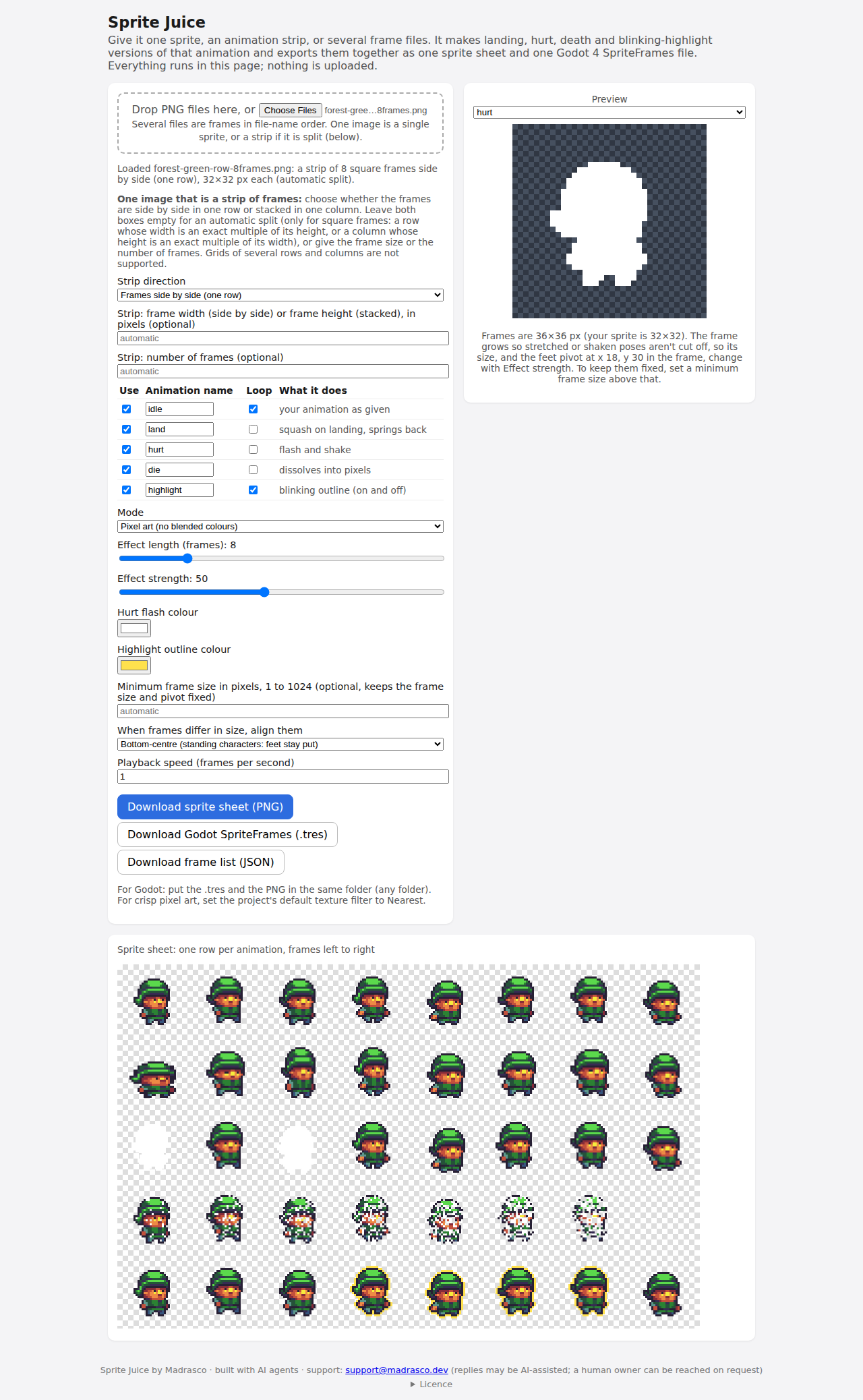
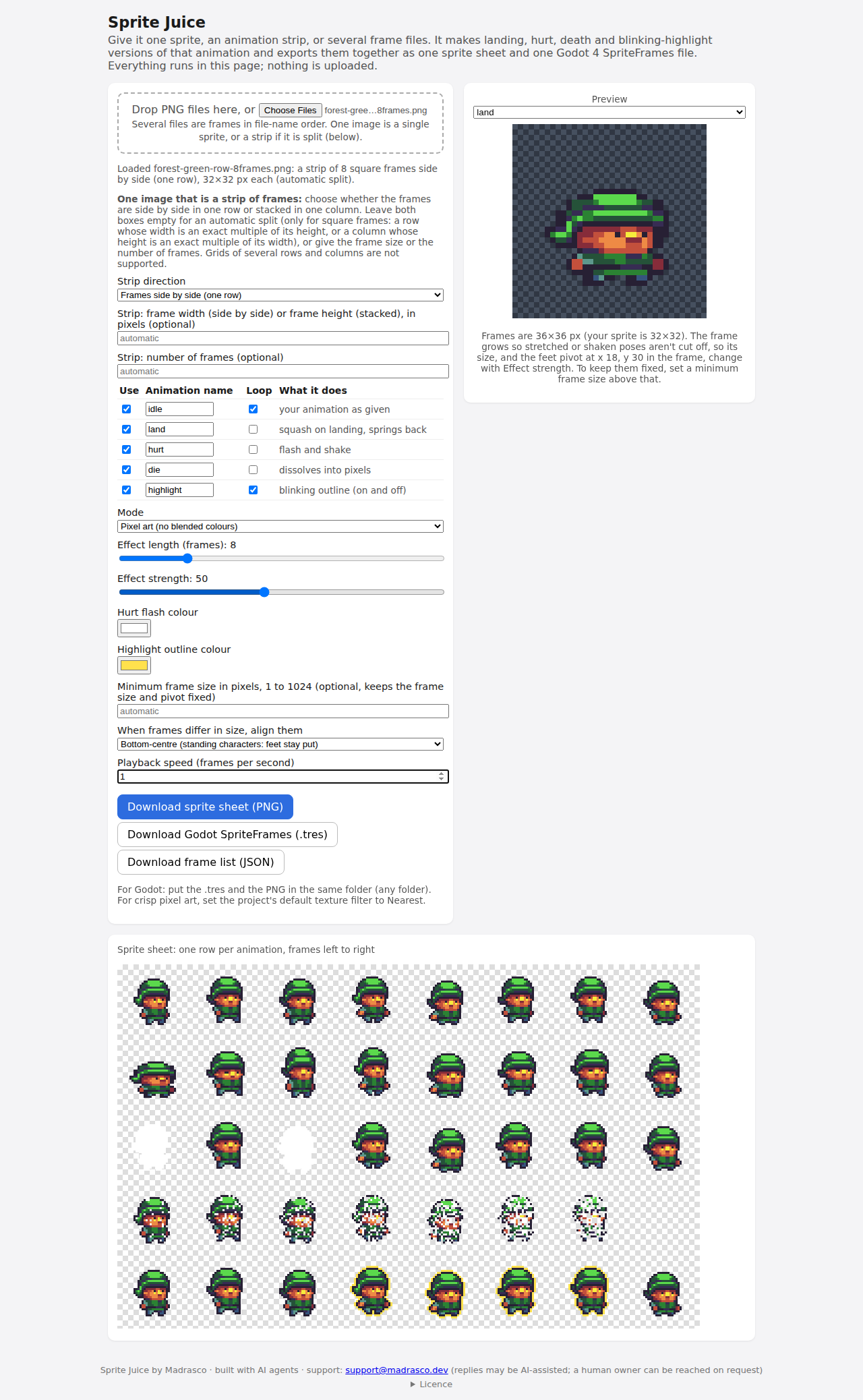
Drop in a sprite, an animation strip or a folder's worth of frame files, and Sprite Juice makes the usual "game feel" animations from it: a landing squash that springs back, a hurt flash with a shake, a death dissolve and a blinking highlight outline. You get one sprite sheet PNG with a row per animation, a Godot 4 SpriteFrames .tres for an AnimatedSprite2D (checked in Godot 4.7.2), and a simple JSON frame list.
It is one HTML file that runs offline in a modern web browser. Nothing to install, and your art stays on your computer: the downloaded file makes no network requests.
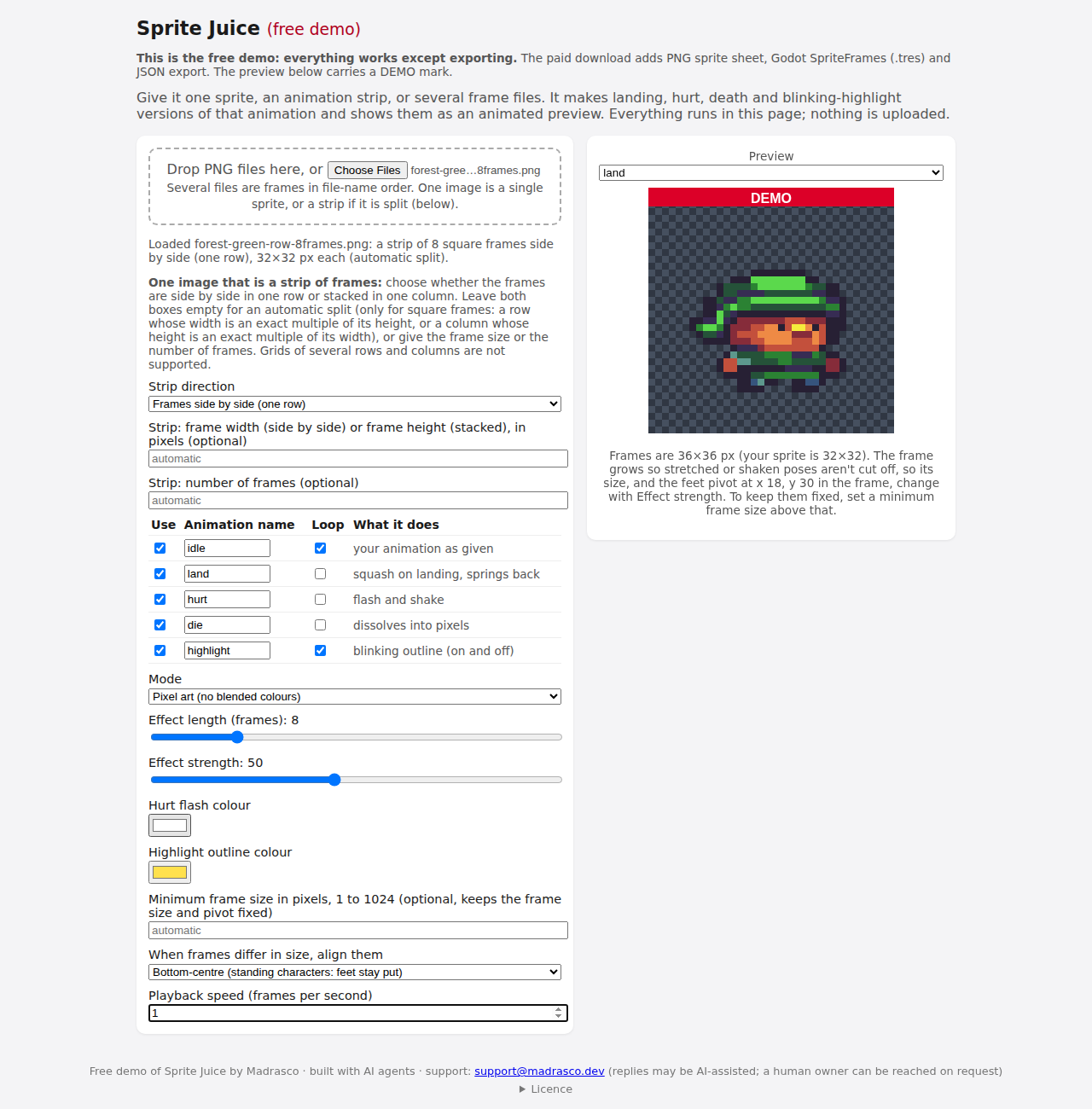
Try it first. Download the free demo and try it on your own sprites: everything works except exporting. It shows an animated preview marked DEMO. The paid download adds the PNG sprite sheet, the Godot SpriteFrames file and the JSON frame list.
What you get
- Five animations, each one row in the sheet: your animation as given (idle), land (squash and spring back), hurt (flash in a colour you pick, plus a shake), die (dissolves away), highlight (outline in a colour you pick, blinking on and off). Tick the ones you want and rename them.
- Effect length (frames), strength, playback speed, and which animations loop.
- Pixel art mode: no blended colours, hard edges. The idle, land and die rows use only colours already in your sprite; hurt and highlight add just the flash and outline colours you chose.
- Smooth mode for painted or vector-style art.
- Frames grow so a squashed or shaken pose is never cut off, and every row is anchored at the sprite's feet, so switching animations doesn't make it jump. Set a minimum frame size to keep the frame size and pivot fixed.
- Frames of different sizes are lined up bottom-centre (feet stay put) or centred.
- Godot 4: the
.treshas one named animation per row, loop flags and speed set, and finds the PNG by relative path, so put both files in any folder of your project.
Inputs
- PNG only. One image (a single sprite, or a strip in one row or one column), or several files as frames. Files are ordered by name the way people count, so "Walk (10)" comes after "Walk (9)".
- Strips split automatically when frames are square; otherwise type the frame width or the number of frames.
- Frames up to 1024 px on a side; the finished sheet up to 8192 px on a side and 25 million pixels in all.
Limits
- One source animation per export. A sheet laid out as a grid of several animations must be cropped to one row (or column) first.
- Godot is the only engine with a ready-made import file. The JSON is Sprite Juice's own simple frame list (frame rectangles, frame size, a feet pivot), not the TexturePacker or Aseprite format that Phaser and Unity importers read.
- No GIF or video export, and no Aseprite file import.
- The die effect suits pixel art best; on large smooth art it looks like noisy static.
- Checked in Chromium and in WebKit (the engine behind Safari) on Linux, with identical output. Not yet checked in Safari on a Mac or in browsers on Windows.
Tested on
Free CC0 art from other artists, not made for this tool: Kenney's Pixel Platformer, the Godot "Dodge the Creeps" demo art, Buch's "A platformer in the forest" and pzUH's "The Knight". The SpriteFrames files exported from the forest, knight and Dodge the Creeps art loaded in Godot 4.7.2 with the right animation names, frame counts, loop flags and speed. Earlier Godot 4 versions have not been tried. Art in the images on this page: Buch, CC0, from OpenGameArt.
Licence
One purchase covers one person, on any of their own computers, for any project, commercial ones included. Please don't share the tool file; teammates can buy their own copy. Sprite Juice claims no rights in what you export: what you may do with it depends on your source art's licence. The free demo may be shared freely as a demo. Provided as is; nothing here limits your rights under the Australian Consumer Law.
Made by Madrasco. AI coding agents wrote the code and this page, and the tests were run by machine.
Questions or problems: comment below or email support@madrasco.dev. Platform replies may be AI-assisted; ask to reach the human owner. Not happy with it? Request a full refund within 30 days of purchase.
Purchase
In order to download this tool you must purchase it at or above the minimum price of $5 USD. You will get access to the following files:
Download demo
Leave a comment
Log in with itch.io to leave a comment.